Data Model
Cafe Variome V4 uses dynamic data models for discovery. Before uploading data, admins need to create a data model that defines the schema for discovery. This schema will later be federated through the network, so other nodes can understand the structure of the data being shared.
Creating a Data Model
The data models can be created through the admin interface. When creating a data model, you will need to define the following:
- Name: A unique name for the data model.
- URI: A unique identifier for the data model, which will be used in the federation process. This URI must be globally unique across all possible nodes in the network. It is recommended to use a URI that includes the domain of the node, such as
http://your.organization.com/data-models/your-data-model.json. - Description (Optional): A brief description of the data model and its purpose.
- Schema Definition: The schema definition is a JSON object that defines the structure of the data. It should be a formal JSON schema, compliant with the JSON Schema specification. If the URI provided can be resolved to this JSON schema, you may leave it empty here and the system will fetch the schema from the URI.
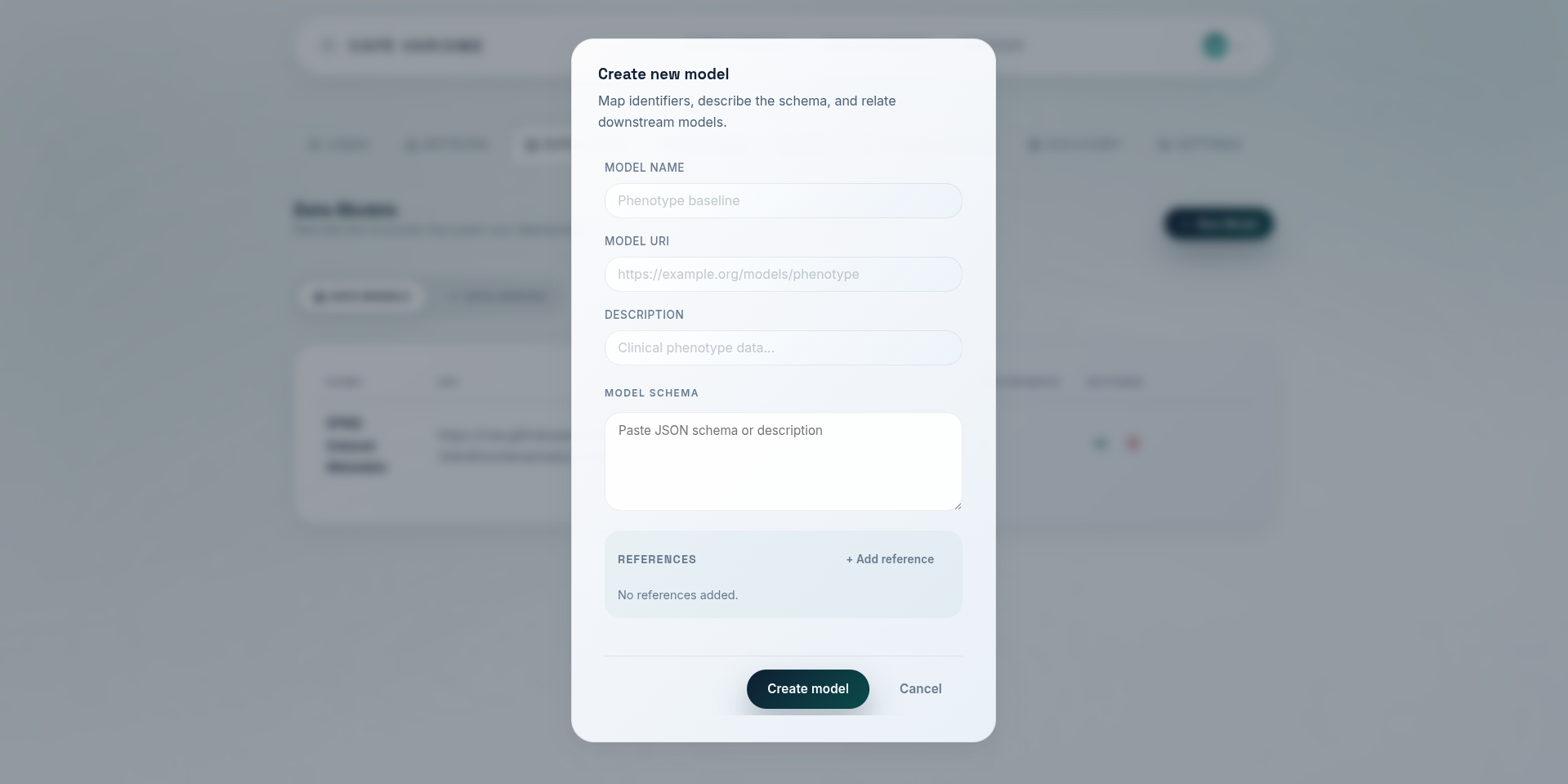
You may also notice that there are data model references available in the form. These references allow you to link to existing data models in sub paths. For example, if you have a data model for "Clinical Visit Record", and another one for "Patient Record", you can reference the "Clinical Visit Record" data model within the "Patient Record" data model to indicate that a patient record includes clinical visit records. This promotes reusability and modularity in your data models. It also allows putting unlimited amount of smaller data models together to create a larger data model, without compromising the scalability and performance of the system. This is particularly relevant when using MongoDB as the underlying database, as MongoDB has a document size limit. When querying and untimately fetching the results from the database, the system will re-assemble the data back into a complete model.